Controller Area Network (CAN) Stack Improvement: BeagleBone Black D-CAN Driver Implementation [GSoC 2026]

Thank you for the guidance!
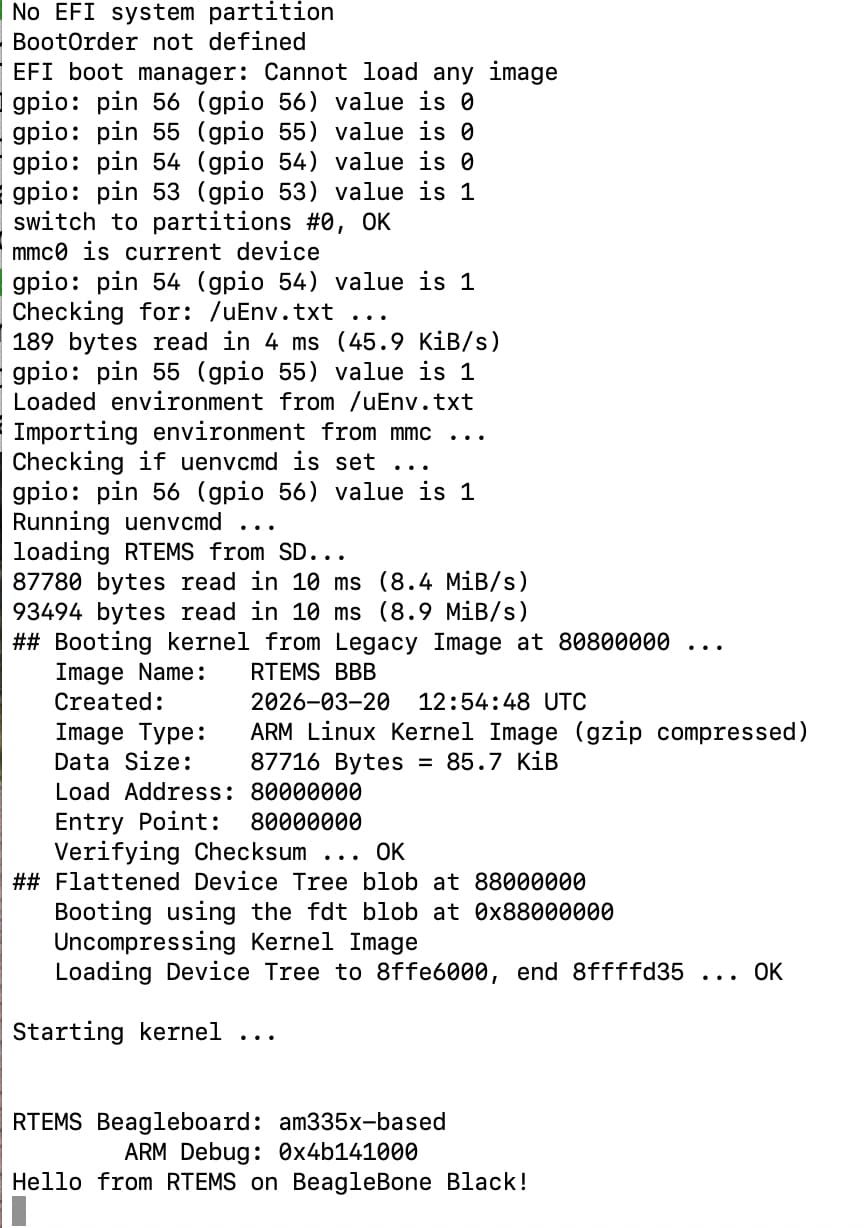
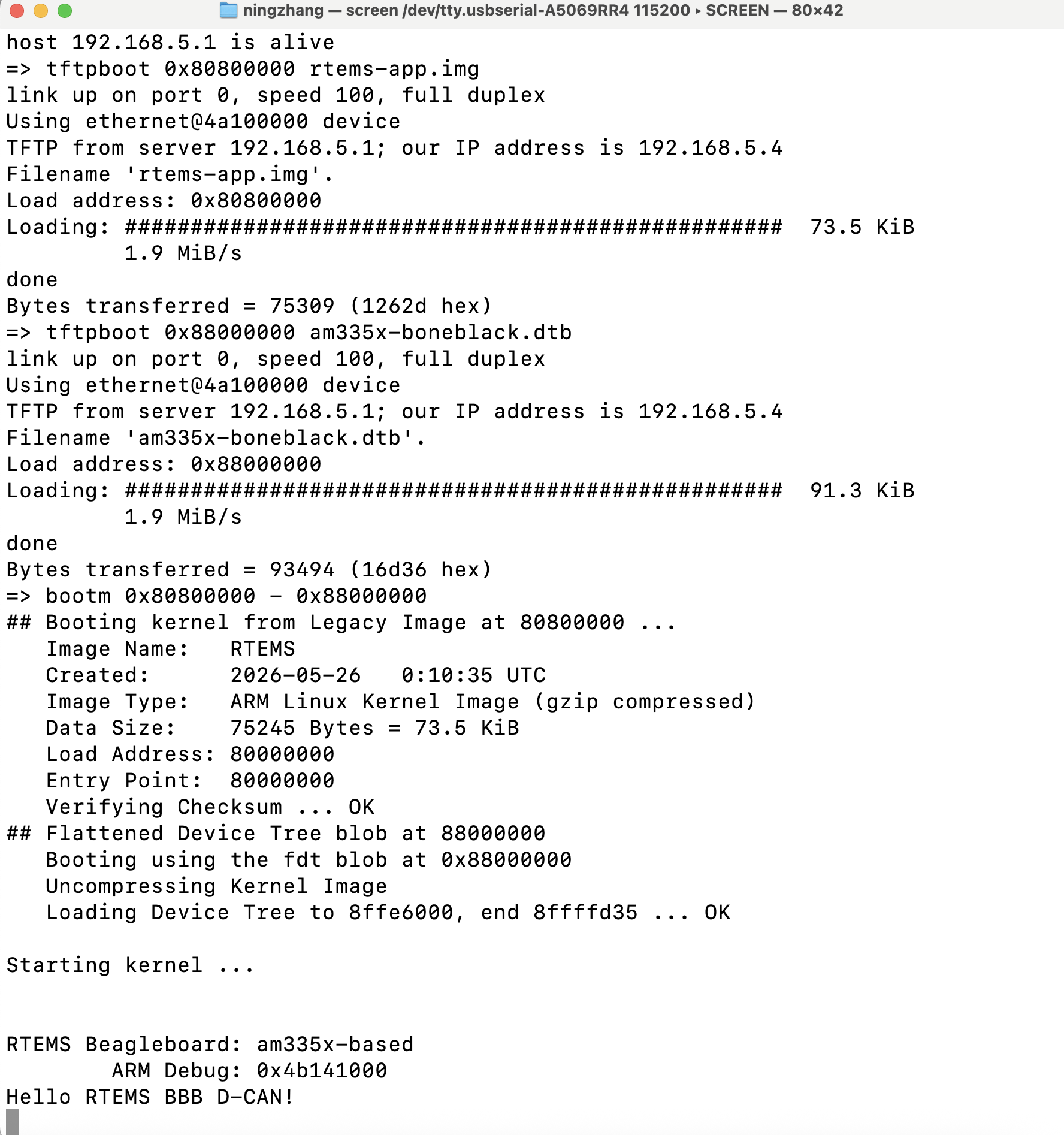
I just finished RTEMS Boot on BeagleBone Black.

During the process of bringing up RTEMS on the BeagleBone Black (BBB), I encountered an issue where the board failed to boot and no serial output was observed. After systematic debugging, I identified the root cause and successfully booted RTEMS. The debugging process and conclusions are summarized below.

1. Serial Debug Setup

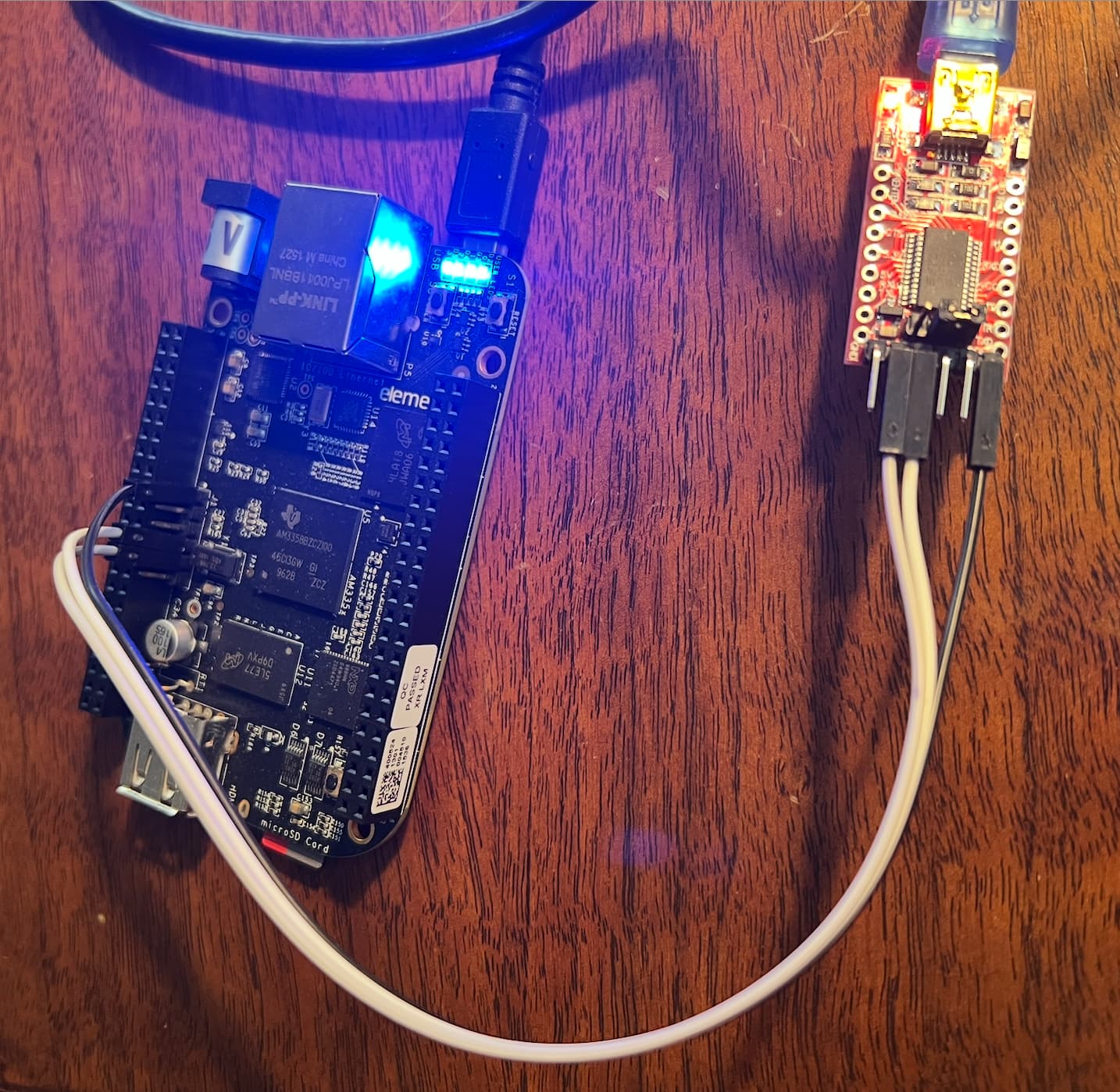
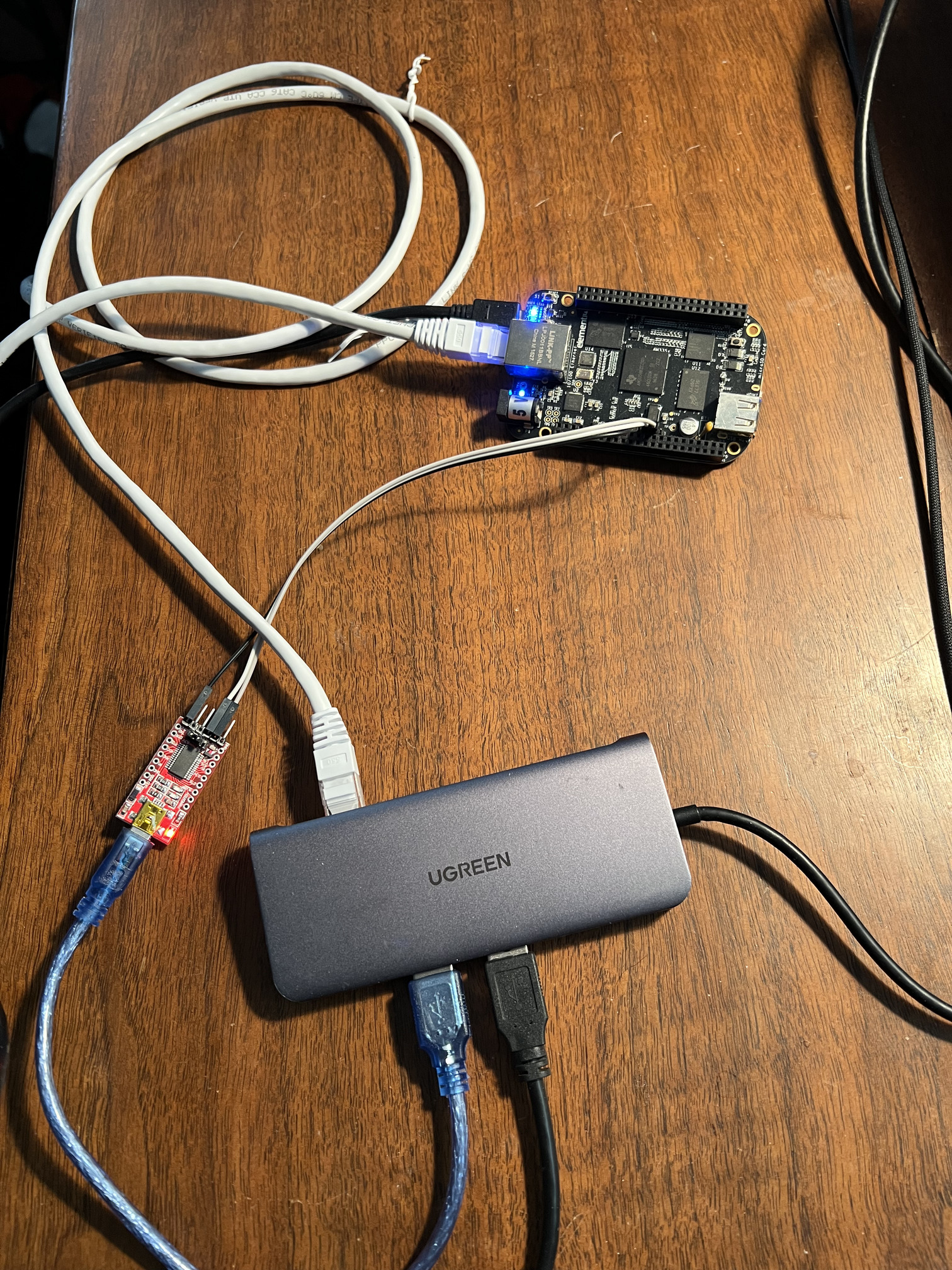
To monitor the boot process, I used a USB-to-TTL serial adapter (FTDI-based, 3.3V). The connection was made via the BBB J1 debug header:

  • GND → J1 pin 1
  • TX (adapter) → J1 pin 4 (BBB RX)
  • RX (adapter) → J1 pin 5 (BBB TX)

On macOS, the serial interface was identified and accessed using:

ls /dev/cu.*
screen /dev/cu.usbserial-XXXX 115200

This setup was verified by successfully observing Linux boot logs when no SD card was inserted.

2. Initial Problem

When inserting the SD card containing the RTEMS boot files and powering on the board, the following behavior was observed:

  • No serial output
  • No normal BBB board LED activity
  • System appeared to be stalled during early boot

This suggested that the boot process was failing before reaching U-Boot or RTEMS execution.

3. Root Cause Analysis

Initially, I attempted to boot from the SD card by pressing the S2 (BOOT) button during power-up. However, this approach corresponds to a different boot mode:

  • Pressing S2 forces pure SD card boot
  • This mode requires additional bootloader files:
    • MLO
    • u-boot.img

In my setup, the SD card only contained:

  • rtems-app.img
  • am335x-boneblack.dtb
  • uEnv.txt

These files are intended for a different boot method:

  • Using the U-Boot already stored on the onboard eMMC
  • U-Boot reads uEnv.txt from the SD card and executes the boot commands

Because the SD card did not include MLO and u-boot.img, forcing SD boot caused the board to fail very early, resulting in no serial output.

4. Correct Boot Method

The correct procedure for this setup is:

  1. Power off the BBB
  2. Insert the SD card
  3. Open the serial terminal
  4. Power on the board without pressing the S2 button

In this mode:

  • The onboard eMMC U-Boot runs first
  • U-Boot detects and loads uEnv.txt from the SD card
  • The RTEMS image is loaded using fatload and started with bootm

5. Result

After using the correct boot procedure:

  • Serial output appeared as expected
  • RTEMS booted successfully
  • The system executed the RTEMS application correctly

This confirmed that:

  • The SD card contents were correct
  • The uEnv.txt configuration was valid
  • The DTB (am335x-boneblack.dtb) was appropriate
  • The issue was purely related to incorrect boot mode selection

6. Key Takeaways

  • There are two distinct SD boot paths on BBB:
    • eMMC U-Boot + SD (uEnv.txt method) → does NOT require S2 button
    • Pure SD boot (ROM boot) → requires MLO and u-boot.img
  • Pressing the BOOT button without proper bootloader files leads to silent boot failure
  • Serial debugging via J1 is essential for diagnosing early boot issues
  • Correct understanding of the BBB boot flow is critical for RTEMS bring-up

7. Next Steps

  • Compare Linux CAN (c_can driver) behavior with RTEMS CAN stack

This debugging process significantly improved my understanding of the BBB boot sequence and RTEMS integration, and will help guide further development work.

I have completed a draft of my proposal. I would greatly appreciate any feedback or suggestions to help improve it. Here is the link of my draft proposal.
Generally OK, I can provide even some other C-CAN and D-CAN code examples. It is important to decide which header files style ti use for registers definition.
We have prepared even DCAN header for TMS570 project and RTEMS BSP long time ago which could be used as start

rtems/bsps/arm/tms570/include/bsp/ti_herc/reg_dcan.h

But I would suggest to convert register overlay structure to the offsets defines or enum. The fields can be defined even simpler way, as it is in rtems/cpukit/dev/can/ctucanfd/ctucanfd_kregs.h

As for the the implementation, I would suggest to use FIFO mode and IF3 for reception. This makes driver incompatible with C_CAN but that is extremely old and due to lack of support for reasonable reconstruction of proper frame receive order, it is really hard to use. I have done some driver in LinCAN framework for C_CAN (see), but I do not suggest to consider this attic HW. Some fragments from the code can be reusable. We have another CCS based DCAN support with DMA based on CCS HAL. But again, I would not be against the ideas reuse but no code and CCS header and support routines style.

The first phase should finish with the driver in state where one message buffer is used for Tx and FIFO for Rx. Then the second half should be focused on options how to use more Tx buffers but keep FIFO Tx order for given priority class and then how to allow higher priority classes to overtake Tx of messages from lower priority ones. The infrastructure for this in the old LinCAN and now RTEMS CAN FD stack is significant advantage to similar stack in lot of other OSes. But doing this properly on D-CAN HW would require some investment and inventions. The use of DMA can be additional optional golden point if time allows it.

But main goal is sound and priority classes aware RTEMS D-CAN driver. There should be reserved some time for its real time propertise checking, similar way as is done analyzis in @michallenc thesis and as we do not with SJA1000 where original design seems to be capable, OpenCores SJA1000 seems to have blockers for realiable priority overtakes.

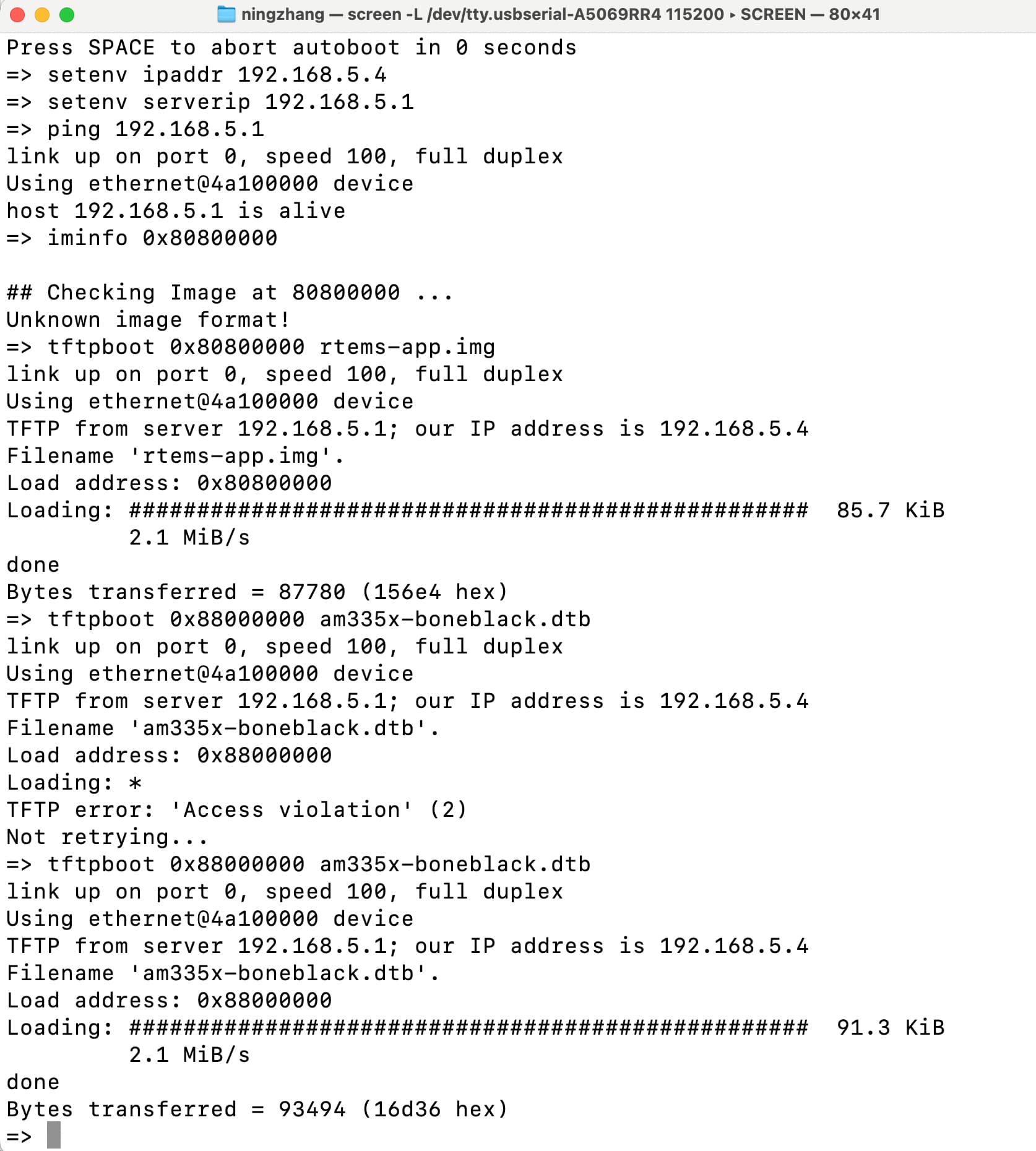
As for development, I suggest to deliver RTEMS by U-boot and TFTP to the board. If you have some local network which provides IP addresses by DHCP server and you can specify or can be sure that your computer has fixed one assigned, then you can run TFTP server on your host computer and configure U-boot on the board to load image or even better control file/script from your computer. Then the whole physical iteration wit the board is pressing of the reset button and it loads your latest RTEMS build which you copy always during build to the directly served by TFTP daemon.

For case where I am not at home, I have network configuration which I call island net which sets my computer address as static, starts DNSMASQ as DHCP and DNS server and I have there configuration to control start of my HW. I provide even public net access to the devices by NATiing over WiFi for example. But at home, I use central DHCP server which I have there. But it is usually part of WIFi routers, DSL modem etc…

Thank you so much for your insights and guidance! Really valuable!! I updated my draft of proposal. Please help take a look and comment any suggestion.Thanks!!

I will continue development based on your suggestion.
The first stage will establish a minimal working driver with initialization, basic transmit functionality, and FIFO-based reception. The second stage will extend the driver to support interrupt-driven operation, improved mailbox usage, and priority-aware transmission scheduling, allowing higher-priority messages to preempt lower-priority ones.
The implementation will follow RTEMS conventions, using offset-based register definitions and ensuring compatibility with existing CAN stack interfaces, also consider optional DMA support.

Just a remainder the proposal needs to be submitted by March 31 18:00 UTC. I think you should also update RTEMS Gitlab tracking page with the link to the proposal.

Thanks for reminding! I will apply soon and add the link of proposal to the RTEMS Gitlab tracking page.

Yes make sure that you do, anyone without a tracking page is at risk of being rejected for non-compliance with our expectations.

Thank you! I have added the proposal link to the RTEMS GitLab tracking page. I am very interested in this project and was wondering if you have any suggestions on what I could do to improve my chances of being selected. Thanks for your guidance!