Controller Area Network (CAN) Stack Improvement: BeagleBone Black D-CAN Driver Implementation [GSoC 2026]

Hello everyone!

I’m interested in CAN Stack Improvements Project for GSoC 2026. I’d like to focus on implementing a D-CAN driver for BeagleBone Black (AM335x). Is it a reasonable scope for GSoC project?

I’m new to CAN protocol but eager to do my best. Will start from the recommended publications and the processor TRM/CAN protocol so far.

Open the topic for discussions as well.

Thanks for the interest. The D-CAN controller would be useful. It is found on
TI TMS570LC4357 and TMS570LS3137 chips which are supported by RTEMS (see TMS570 BSP in RTEMS User Manual and our student related thesis, unfortunately in Czech language only). There is even our complex time triggered support for it available (again thesis, fortunately in English). I have some reference source for that. The controller is found in its HECC (TI High End CAN Controller) variant on many other TI chips like BegleBoneBlack (AM335x, BSP) and there has been attempt to implement it in the GSoC frame in the past but the setup of CAN bus core infrastructure failed at that time. The CAN core developed by Michal Lenc (see thesis) is mature and integrated now and adding the chip support based on the other chips examples should be feasible for GSoC.

Do you have some above hardware with D-CAN supported by RTEMS? I have all three BBB, TMS570LC4357 and TMS570LS3137 but I have not tested RTEMS on them for long time so some cooperation and need for fixes could be required during bring-up.

Disadvantage is that D-CAN does not have support in QEMU yet. Qemu includes support only for CTU CAN FD, SJA1000, Xilinx on UltraScale and above and FlexCAN in review/integration stage.

But I agree that BBB and TMS570 are targets fitting well RTEMS application area so it would worth to be included.

I and Michal Lenc can mentor this projects.

1 Like

Hi Pavel, thank you for the detailed response and for offering to mentor,

Regarding the hardware, I don’t currently have BBB or TMS570 boards. I’ll obtain one for the project as soon as I can, it can be challenging here in Bishkek due to the ship costs and time though. I think I’ll receive the board by May or at latest by June. Any recommendations on additional hardware to consider?
I’ll study the docs, existing implementations, and sketch out some code meantime.

By the way, would occasional remote access to one of your boards be possible during early development? Even for milestone testing before my hardware arrives, it would be greatly appreciated. If such a need arises, of course.

Looking forward to working with you and Michal!

For this project, you would need both the BBB and also a CAN Transceiver (cape). We would want this hardware available and demonstrated capability to use it within the application period, so it seems in your case this will not be a suitable project at the moment.

You need direct hardware access to the board to work with this kind of project, due to the hardware interactions needed for development and testing.

Thank you for the feedback! Well, given the constraint, I’ll likely revisit the idea of ​​porting PortableGL.

Should I do something to this topic?

Leave it open for others to find, thanks.

Hi Pavel, thanks for the details of reply! I am interested in BeagleBone Black D-CAN Driver Implementation. I can get a BeagleBone Black board next week and along the whole GSoC.

When I am looking into the CAN improvements project, if I am understanding right, the task is adding new D-CAN driver. So it is important to have hardware like BeagleBone Black to test on it. I realized the driver would be important for DCAN communication in RTEMS, and the driver can let DCAN keep the same priority queue as RTEMS, which is important for RTOS.

I will keep studying the thesis and papers you provide. I will test the board when I get it and let you know how it goes. And I would really appreciate some advice for the next steps. Thanks! Looking forward to your reply!

It will be important as part of your proposal to show that you can run the BBB. It would also be beneficial if you can run the CAN stack on a currently supported board/target, and to show how you would be able to debug when you run into problems.

Thanks for your precious advice! I will follow these instructions to draft my proposal, showing the results of running BBB, and trying to run the CAN stack and showing how to debug when I run into problems. Thanks!

Running current CAN/CAN FD stack core should be completely hardware agnostic. It should run everywhere where RTEMS runs. The virtual device can be registered by rtems_can_virtual_initialize and it can be used then. The registration of the virtual CAN device/channel is shown in the example code in the rtems_can_test/can_virtual.c. The registration of the set of CAN test commands into RTEMS shell is shown in the rest of the test code rtems_can_test. This Michal Lenc implemented code had main goal to test the implementation, priority preemption principles, latency and more. It would worth to integrate some simplified examples into mainline RTEMS tests directory to provide simpler examples how to start own applications.

1 Like

I can get a BeagleBone Black board next week and along the whole GSoC

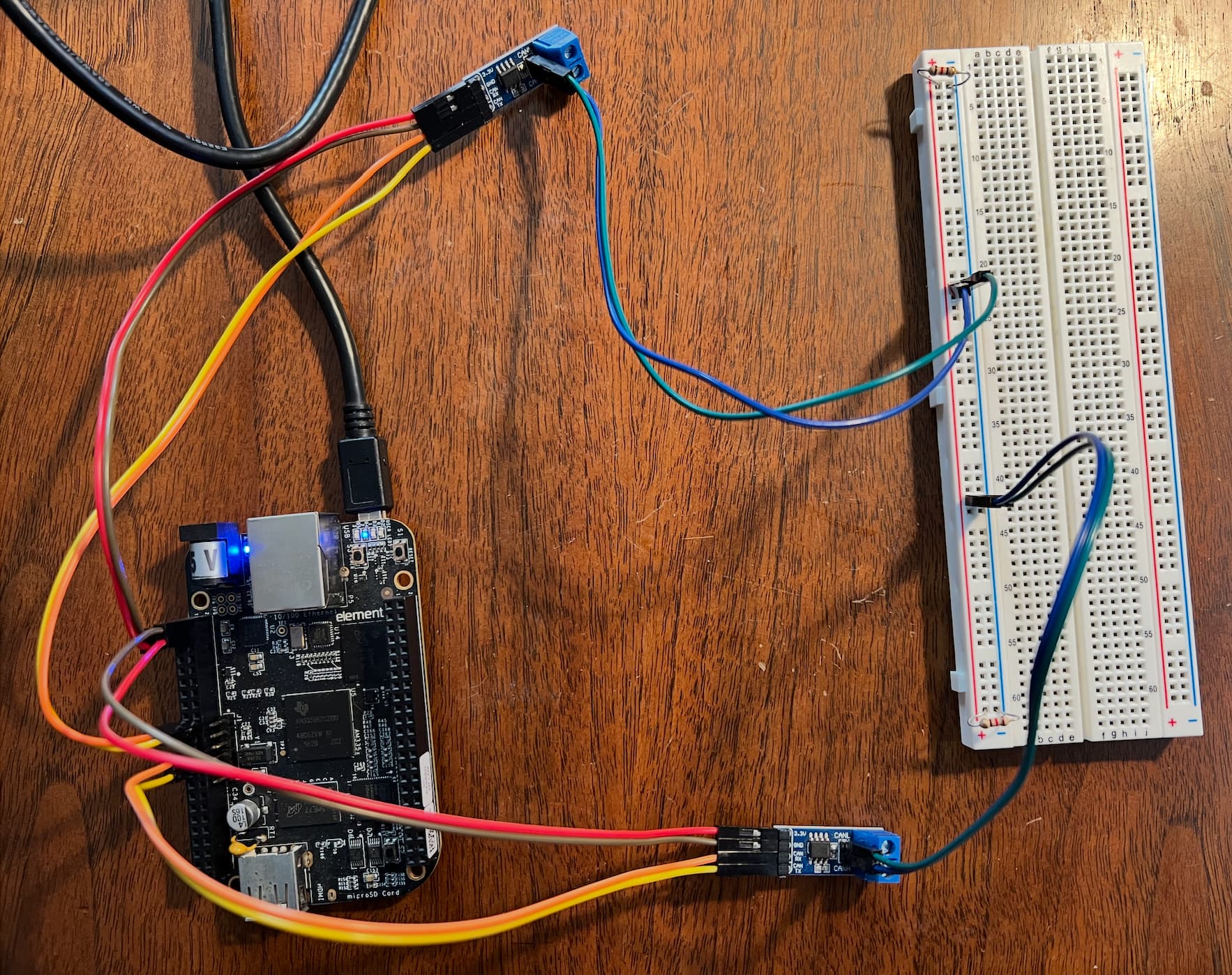
Please also keep in mind you will need a CAN transceiver as BeagleBone Black doesn’t have any, to test the communication while you implement DCAN - these are pretty cheap, just few dollars at most. You can take a look at this article Adding CAN to the BeagleBone (Black) – Beyondlogic

It looks like the board has two CAN interfaces, which is convenient - you could get two transceivers and connect them against each other for the initial tests of your implementation. The other option is to test against your computer, for which you also need CAN to USB converter.

And I would really appreciate some advice for the next steps.

You can take a look at the registration of virtual controller and examples in the links Pavel Píša sent above - you can run those on your BeagleBone once you get it. You can copy the files to your build system if you prefer.

The repository also contains steps to compile the examples, register the controller and run the test in the top level Readme. The compile steps are for Xilinx-Zynq, but it should work with BeagleBone as well just by adding RTEMS_MAKEFILE_PATH argument to make command with the path to your BeagleBone RTEMS build.

$ export PATH=$PATH:/opt/rtems/7/bin
$ make RTEMS_MAKEFILE_PATH=/opt/rtems/7/path_to_beagle_build

For example for i386 target it’s RTEMS_MAKEFILE_PATH=/opt/rtems/7/i386-rtems7/pc686

1 Like

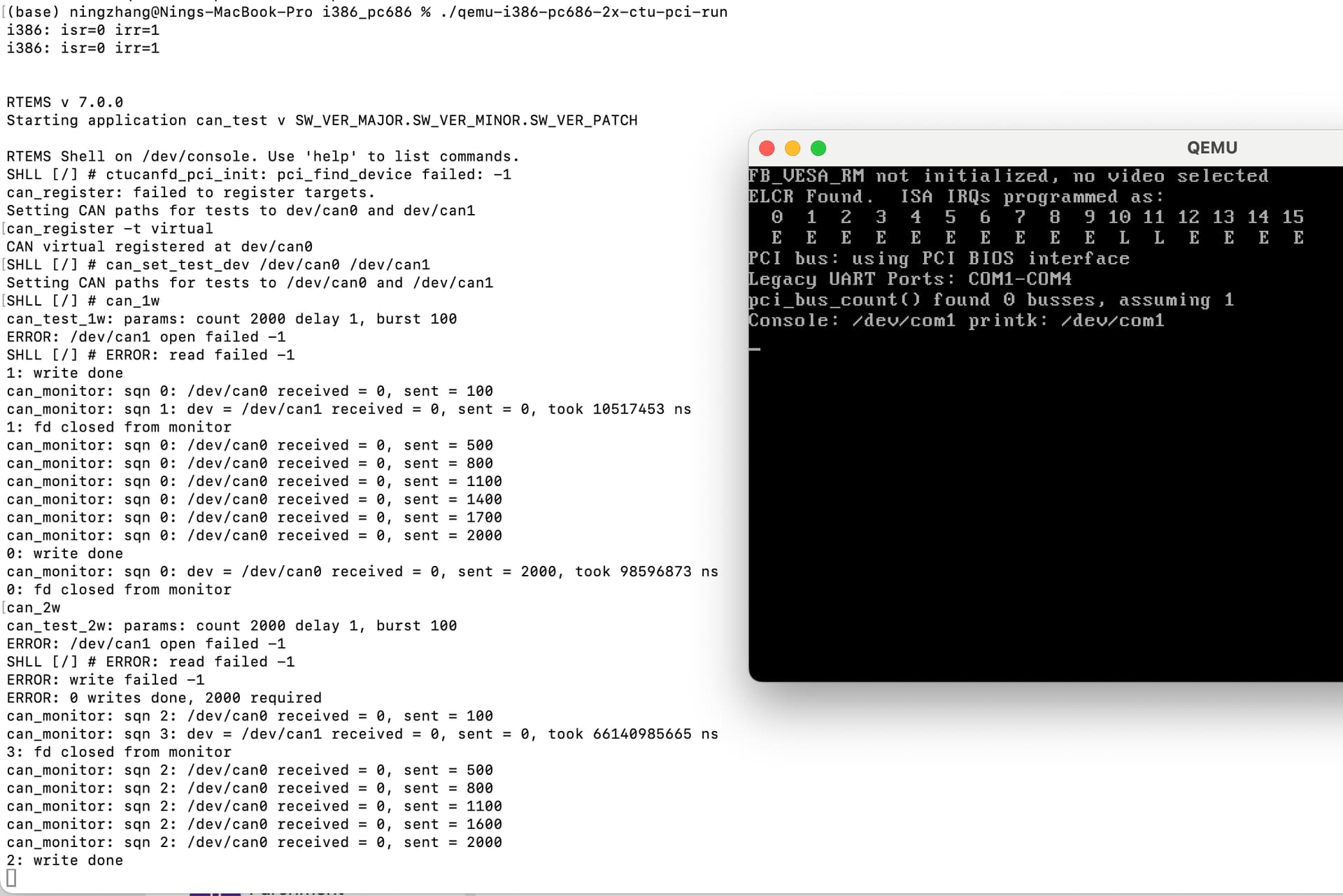
I successfully ran the RTEMS CAN test program on my Mac using QEMU.

  • I first installed the RTEMS tools and required software, then fixed the folder path by creating a symbolic link to redirect “/opt/rtems/6” to my RTEMS installation path so the example scripts could find RTEMS correctly.
  • After that, I built the required RTEMS target (pc686), using a serial-only setup to avoid graphics errors, and compiled the CAN test project.
  • I modified the QEMU run script so it could work on macOS by changing Linux KVM to the TCG accelerator and disabling Linux networking features.
  • I then booted RTEMS and entered the RTEMS shell. Inside the system, I registered a virtual CAN device and successfully ran the CAN test applications. Here is the screenshot.

    Although the real CTU CAN FD hardware cannot be tested, maybe because the macOS version of QEMU does not include that device model, the virtual CAN test confirmed that the RTEMS CAN system and test programs are working correctly.
    I will keep looking into the example code and understand it. I would appreciate ideas based on what I have done. Thanks!

You should be using rtems 7 toolchain and main branch for GSoC and in general for new development work.

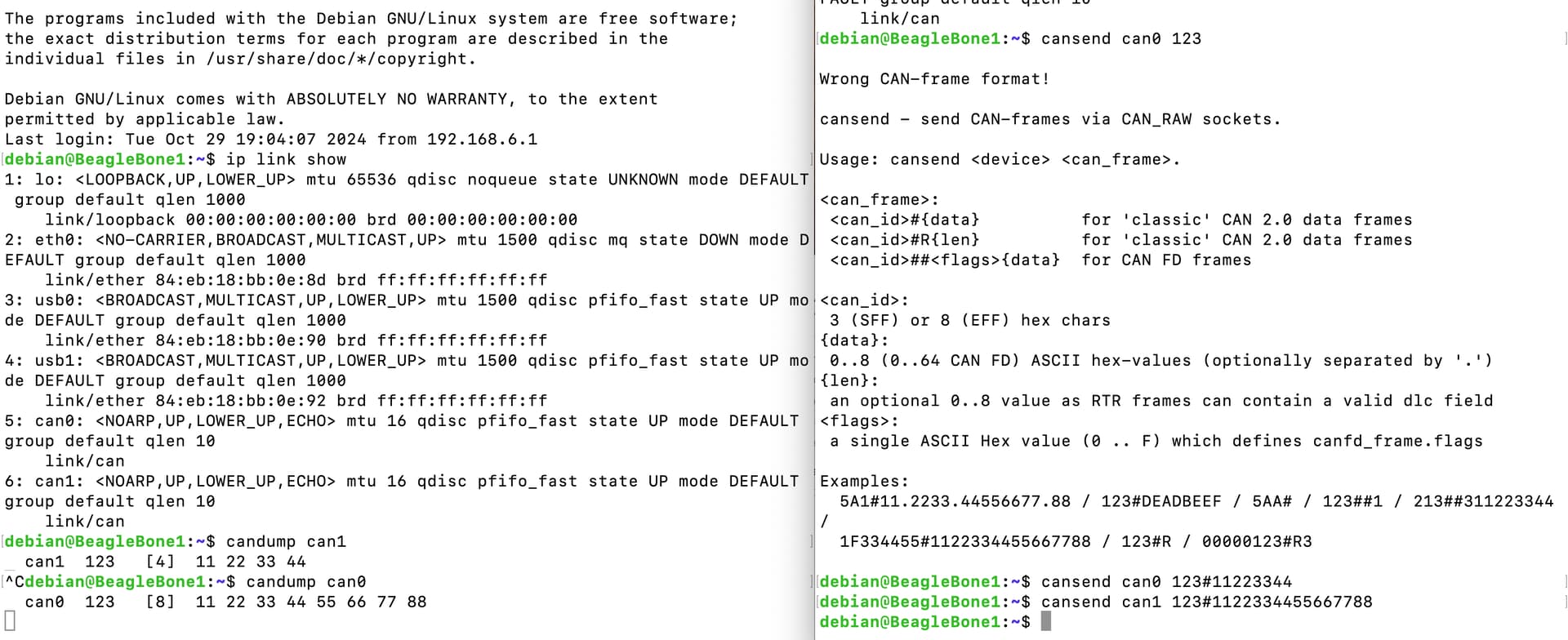
PS: as part of your proposal, you should also show that you can run RTEMS on the BBB, and further that you can run some kind of CAN workload on the BBB (e.g., with Linux).