RTEMS Projects
RTEMS welcomes new projects and they are easy to add. First check if the project or a similar project exists by have a look over https://projects.rtems.org. This is an active page generated from RTEMS GitLab Issues in the RTEMS RTOS repository.
Checking RTEMS Projects
- Click on https://projects.rtems.org and review the projects. If you find a project that is similar consider updating it with any extra ideas or input you have. If the project is not there then select an existing project you like the look of and use it as a template for your new Project.
Creating a New Project
- Get a GitLab Account on RTEMS GitLab and sign in.
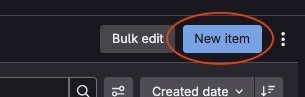
- Create an New Item in RTEMS RTOS Issues by pressing the New Item button:
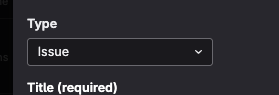
- Leave the Type field as Issue:
- Provide a suitable Project title in the Title field
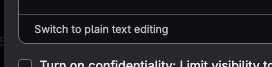
- Add a Description. This is in Markdown and you can switch editor modes by clicking at the bottom of the description editor:
 .
.
Add any links or attach any code you think important and useful. It helps to define any expected outcomes. - Feel free to remove the default template’s “Steps to reproduce” and milestone text. New projects are not given a milestone.
- Click Create Issue once you are happy. It does not need to be prefect, we can edit and clean up the content as the project develops.
Inform the RTEMS Project
Let us know on Discord what level and complexity you think the project effort is and we will update the labels on the Issue to place in the Project list. You need have certain permissions to edit the labels.