I made and run the Hello world Program with documentation and load the build with the instruction as mention in the stm32f7 section since stm32f4 section is in todo but, i am not able to see the printf output on the minicom.
i don’t have JTAG and I using on board debugger.
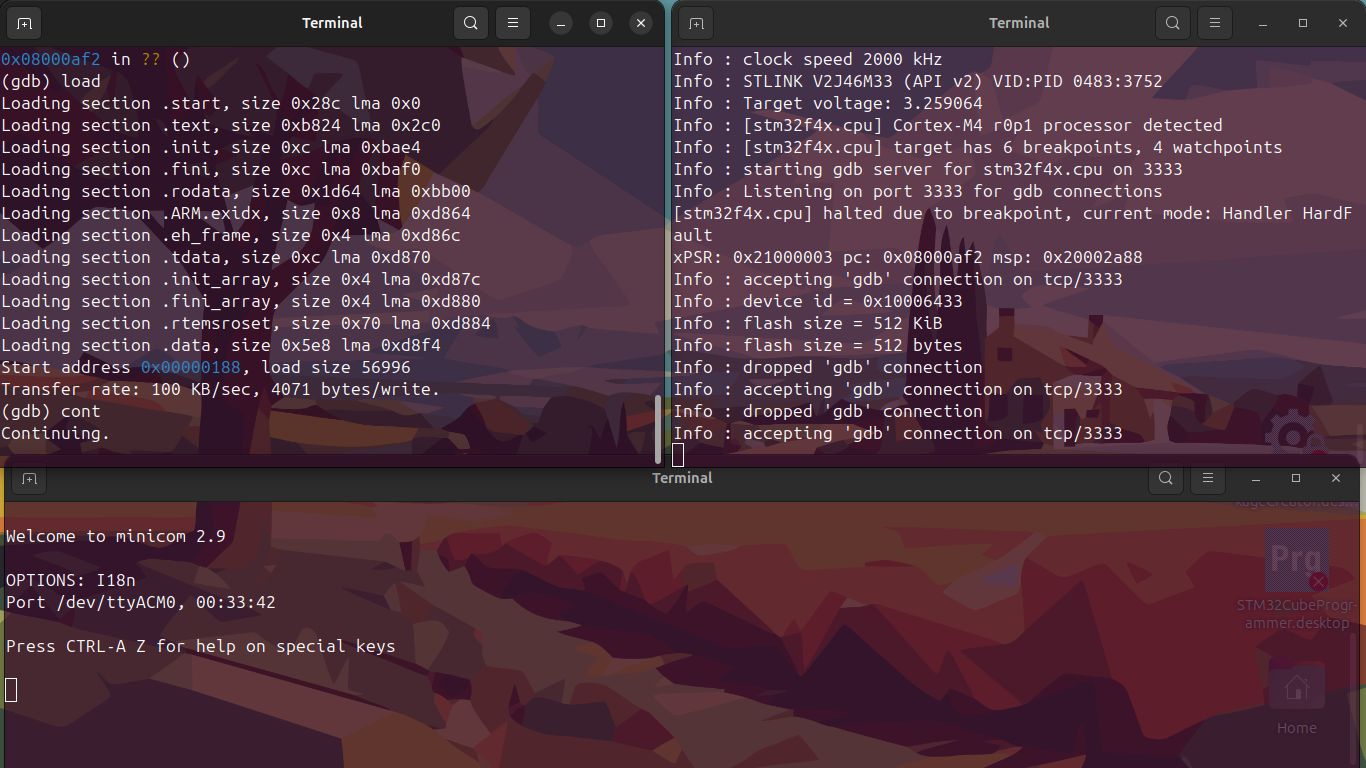
Seeing garbage data on your uart converter is good. The issue now is that the baud rate is a multiply/divide chain based on the high speed external (HSE) oscillator.
The HSE on a Nucleo is 8MHz provided by the debugger processor. It then goes through the phase locked loop (PLL) to buzz it up to the processor execution speed, divided down to drive the internal busses, then divided down for the UART baud clock.
All of the settings of the assumed HSE, PLL, and UART baud rates are set in the BSP in the startup code. I don’t have a copy handy, but it’s a worthy dive to see how things work unless you can convince the BSP author to point you at the correct files and values.
Another, unlikely, way is to hook an oscilloscope to your TX pin and measure the width of a narrow pulse. This will give you the period of a bit, take the reciprocal and you have the baud rate.
I checked on every know baud rate. But the output was only garbage. I opened the Arduino IDE and check the uart on every baud rate. It is showing garbage.
Also, where can I find the file structure of the rtems? Currently i only know.
rsb => have the building toolchains
Rtems => have the bsps
And on building we store our toolchains for a particular bsp we store them in the ’ src/ '.