BSP for the Raspberry Pi 5 [GSOC'26]

This post should serve as a thread for the work I am doing to add a bsp for the raspberry pi 5.

My introduction for GSOC’26: GSOC'26 Introduction & Proof - Preetam.
Data and findings: pi5 rtems bsp - Google Docs

I am testing this on a physical Raspberry Pi 5 4GB using OpenOCD & GDB.

Here’s the update so far:

  1. Started with understanding the difference/similarities between the memory & peripheral map of Pi4 and Pi5. I used the following references:

    Conclusion:

    • The base peripheral address has changed. Some of the peripheral from Pi4 are stubbed out in Pi5 .i.e, they are still there but read/write does not work on them.

    • Most of the peripherals have moved behind the RP1 via PCIe. To get them working we have to make PCIe working first.

    • We still have access to a debug UART, the System Timer and the GIC block on the main bcm2712 chip. So a working minimal bsp should be possible without touching PCIe.

  2. Following this I verified the boot process of Pi5 and its mostly similar to that of the Pi4. Then, I started a rough & hacky implementation just to see how far we can boot into.

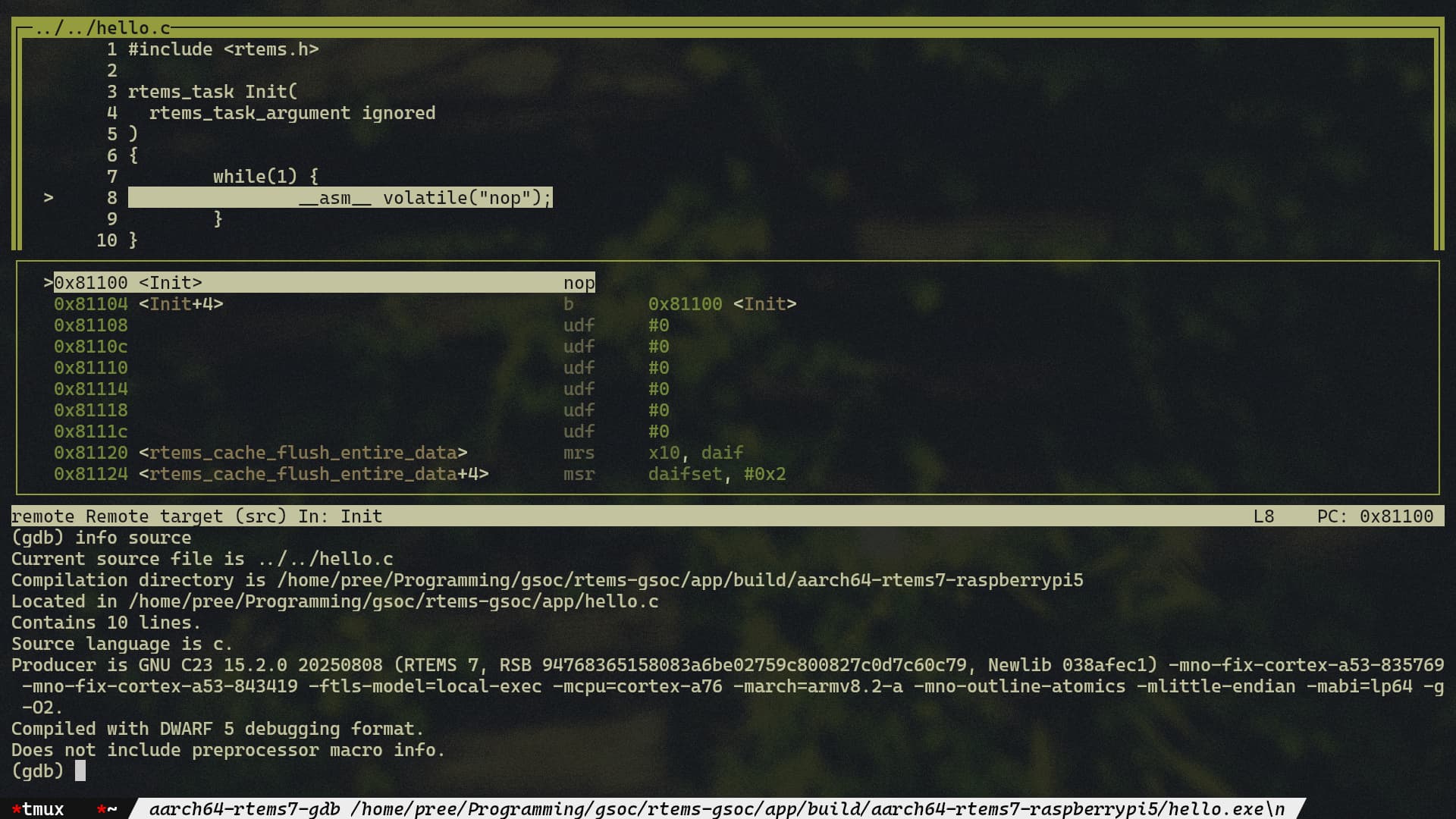
    I was able to jump to Init but I had to disable bsp_interrupt_initialize and stub out BSP_output_char. Details are as follows:

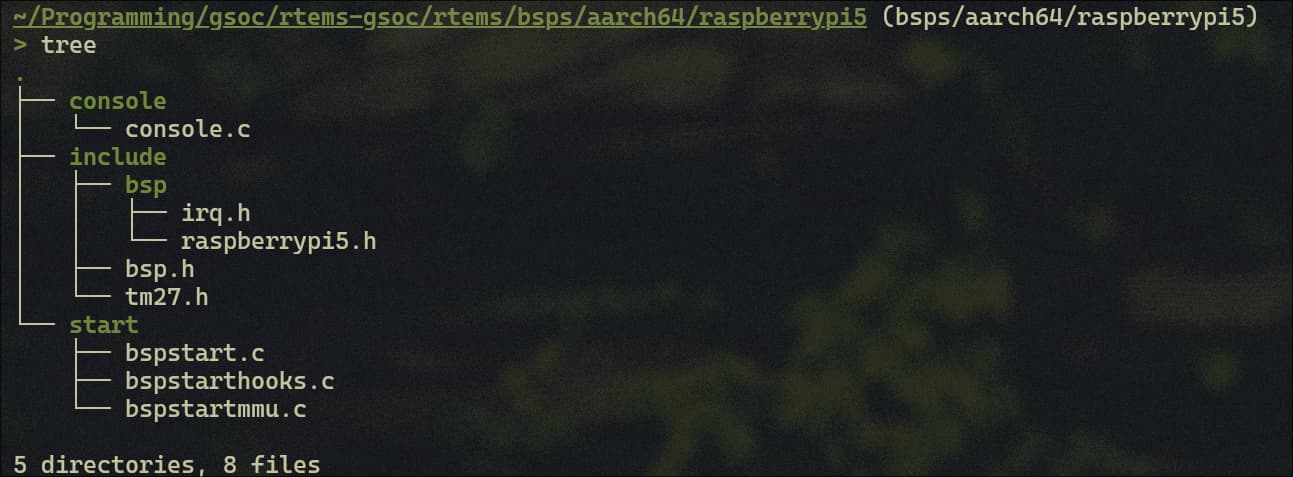
    • I did all this in a folder bsps/aarch64/raspberrypi5 for now just to avoid conflicts. I guess we can merge this into the existing bsps/aarch64/raspberrypi folder once the bsp is somewhat stable. As I said the initial implementation is very rough so the files and directories may not be clean.

    • To satisfy the build process, I disabled tests and samples for now. Also a stub for BSP_output_char was needed to satisfy the linker when building the application.

    • Changes involve putting in the correct peripheral base address and the address for the GIC block. Since Pi4 uses 64-bit addresses, had to use the correct datatype for it. More here.

    • I had to add an isb instruction to flush out the write to sctlr_el1 by aarch64_mmu_enable, else memset was crashing out. I think this is a must requirement but somehow Pi4 was getting away with it. I will try sending a MR for this.

    • For some reason bsp_interrupt_initialize in bsp_start is causing problems. I had to comment it out to get to Init. I have used the correct peripheral address for the GIC block but somewhere down the line its crashing.

    The whole thing is accessible here, in my rtems fork.

Now, I am trying to debug and fix the issue with bsp_interrupt_initialize. Once that’s handled, I guess I can move to clock and console.

I would appreciate any suggestions/feedback from the community specially on directory structure, debugging the GIC block and on what should be by next steps. Thanks.

You’ll want to try to socialize a bit on Discord and see if you can find a potential mentor who has a Raspberry Pi 5 also. I appreciate the enthusiasm, but please note that the GSoC application is a proposal of what you will do if accepted. Any coding work you complete prior to the coding period is not counted as “credit” toward the GSoC period, although submitting some code now is a great way to build some momentum and show competence.

1 Like

Thanks for the advice. I am aware that pre-coding period work won’t be counted, I am mostly doing it to get an overall scope & feel of the project. Since I have the physical device, I couldn’t help but dive right in !! :smiley:

I have already interacted a little with @JoelSherrill and @opticron on Discord about the project. I’ll make sure to sync with them to see if they are available for mentorship, or continue looking for someone with a Pi 5.

Update & some questions

The bsp_interrupt_initialize issue is fixed. It was just me using the wrong macro for the CPUIF base address for GIC.

Also, got the debug UART working using the shared arm-pl011 driver in polled mode and the simple console driver.


  0.87 RPi: BOOTSYS release VERSION:69471177 DATE: 2025/05/08 TIME: 15:13:17
  0.88 BOOTMODE: 0x06 partition 0 build-ts BUILD_TIMESTAMP=1746713597 serial fdb367bd boardrev c04170 stc 880338
  0.89 AON_RESET: 00000003 PM_RSTS 00001000
  0.89 POWER_OFF_ON_HALT: 0 WAIT_FOR_POWER_BUTTON 0 power-on-reset 1
  0.90 RP1_BOOT chip ID: 0x20001927
  0.90 PCIEx1: PWR 0 DET_WAKE 0
  0.90 part 00000000 reset_info 00000000
  0.91 PMIC reset-event 00000000 rtc 00000000 alarm 00000000 enabled 0
  0.91 uSD voltage 3.3V
  1.03 Initialising SDRAM rank 2 total-size: 32 Gbit 4267 (0x15 0x00)
  1.04 DDR 4267 1 0 32 152 BL:1
  2.84 OTP boardrev c04170 bootrom a a
  2.84 Customer key hash 0000000000000000000000000000000000000000000000000000000000000000
  2.85 VC-JTAG unlocked
  2.87 RP1_BOOT chip ID: 0x20001927

  3.51 RP1_BOOT chip ID: 0x20001927
  3.51 RP1_BOOT: fw size 46888
  4.15 PCI2 init
  4.15 PCI2 reset
  4.19 PCIe scan 00001de4:00000001
  4.19 RP1_CHIP_INFO 20001927

  4.19 RPi: BOOTLOADER release VERSION:69471177 DATE: 2025/05/08 TIME: 15:13:17
  4.20 BOOTMODE: 0x06 partition 0 build-ts BUILD_TIMESTAMP=1746713597 serial fdb367bd boardrev c04170 stc 4206270
  4.24 usb_pd_init status 3
  4.24 USB_PD CONFIG 0 41
  4.24 XHCI-STOP
  4.24 xHC0 ver: 272 HCS: 03000440 140000f1 07ff000a HCC: 0240fe6d
  4.25 USBSTS 1
  4.25 xHC0 ver: 272 HCS: 03000440 140000f1 07ff000a HCC: 0240fe6d
  4.25 xHC0 ports 3 slots 64 intrs 4
  4.27 XHCI-STOP
  4.27 xHC1 ver: 272 HCS: 03000440 140000f1 07ff000a HCC: 0240fe6d
  4.27 USBSTS 1
  4.27 xHC1 ver: 272 HCS: 03000440 140000f1 07ff000a HCC: 0240fe6d
  4.28 xHC1 ports 3 slots 64 intrs 4
  4.90 Boot mode: SD (01) order f4
  4.79 USB-PD: src-cap PDO object1 0x0a0191f4
  4.79 Current 5000 mA
  4.79 Voltage 5000 mV
  4.79 USB-PD: src-cap PDO object2 0x0002d12c
  4.80 Current 3000 mA
  4.80 Voltage 9000 mV
  4.80 USB-PD: src-cap PDO object3 0x0003c0e1
  4.80 Current 2250 mA
  4.81 Voltage 12000 mV
  4.81 USB-PD: src-cap PDO object4 0x0004b0b4
  4.81 Current 1800 mA
  4.81 Voltage 15000 mV
  4.83 SD HOST: 200000000 CTL0: 0x00800000 BUS: 400000 Hz actual: 390625 HZ div: 512 (256) status: 0x1fff0000 delay: 276
  4.84 SD HOST: 200000000 CTL0: 0x00800f00 BUS: 400000 Hz actual: 390625 HZ div: 512 (256) status: 0x1fff0000 delay: 276
  4.94 OCR c0ff8000 [146]
CID: 00ad4c5355534430301038942790018a
CSD: 400e0032db790000ec537f800a400000
  4.95 SD: bus-width: 4 spec: 2 SCR: 0x02358487 0x00000000
  4.96 SD HOST: 200000000 CTL0: 0x00800f04 BUS: 50000000 Hz actual: 50000000 HZ div: 4 (2) status: 0x1fff0000 delay: 2
  4.97 MBR: 0x00000800,61949952 type: 0x0c
  4.97 MBR: 0x00000000,       0 type: 0x00
  4.97 MBR: 0x00000000,       0 type: 0x00
  4.98 MBR: 0x00000000,       0 type: 0x00
  4.85 Trying partition: 0
  4.88 type: 32 lba: 2048 'mkfs.fat' ' RTEMS      ' clusters 1934989 (32)
  4.99 rsc 32 fat-sectors 15136 root dir cluster 2 sectors 0 entries 0
  5.00 FAT32 clusters 1934989
  5.00 [sdcard] autoboot.txt not found
  5.00 Select partition rsts 0 C(boot_partition) 0 EEPROM config 0 result 1
  5.13 Trying partition: 1
  5.16 type: 32 lba: 2048 'mkfs.fat' ' RTEMS      ' clusters 1934989 (32)
  5.02 rsc 32 fat-sectors 15136 root dir cluster 2 sectors 0 entries 0
  5.02 FAT32 clusters 1934989
  5.34 Read config.txt bytes      690 hnd 0x603
  5.03 [sdcard] pieeprom.upd not found
  5.39 usb_max_current_enable default 0 max-current 5000
  5.51 Read bcm2712-rpi-5-b.dtb bytes    78231 hnd 0x292
  5.05 dt-match: compatible: raspberrypi,5-model-b match: brcm,bcm2712
  5.05 dt-match: compatible: brcm,bcm2712 match: brcm,bcm2712
  5.06 MESS:00:00:05.067349:0: *** Restart logging
  5.70 Read /config.txt bytes      690 hnd 0x603
  5.75 Read /config.txt bytes      690 hnd 0x603
  5.08 MESS:00:00:05.081554:0: Initial voltage 800000 temp 27388
  5.28 MESS:00:00:05.282134:0: avs_2712: AVS pred 8807 880700 temp 26838
  5.28 MESS:00:00:05.285735:0: vpred 880 mV +0
  5.29 MESS:00:00:05.294422:0: FB framebuffer_swap 1
  5.31 MESS:00:00:05.313808:0: Select resolution HDMI0/2 hotplug 0 max_mode 2
  5.31 MESS:00:00:05.317862:0: Select resolution HDMI1/2 hotplug 0 max_mode 2
  5.33 MESS:00:00:05.334426:0: dtb_file 'bcm2712-rpi-5-b.dtb'
  5.33 Loading 'bcm2712-rpi-5-b.dtb' to 0x00000000 offset 0x100
  5.47 Read bcm2712-rpi-5-b.dtb bytes    78231 hnd 0x292
  5.70  /overlays/overlay_map.dtb 
  5.39 PCIEx1: PWR 0 DET_WAKE 0
  5.08 Read /config.txt bytes      690 hnd 0x603
  5.47 [sdcard] /cmdline.txt not found
  5.73  /cmdline.txt 
  5.47 MESS:00:00:05.475535:0: Failed to open command line file 'cmdline.txt'
  5.65 MESS:00:00:05.659390:0: RPM 202, max RPM 292
  5.71 BMD "armstub8-2712.bin" not found
  5.19 fs_open: 'armstub8-2712.bin' 
  5.72 Loading 'kernel.img' to 0x00000000 offset 0x80000
  5.52 Read kernel.img bytes   526984 hnd 0x688
  5.75 MESS:00:00:05.753751:0: Device tree loaded to 0x2efec800 (size 0x1372b)
  5.76 PCI1 reset
  5.77 PCI2 reset
  5.78 set_reboot_order 0
  5.78 set_reboot_arg1 0
  5.78 USB-OTG disconnect
  5.82 MESS:00:00:05.826287:0: Starting OS 5826 ms
  5.83 MESS:00:00:05.830606:0: 00000040: -> 00000480
  5.83 MESS:00:00:05.832693:0: 00000030: -> 00100080
  5.83 MESS:00:00:05.837406:0: 00000034: -> 00100080
  5.84 MESS:00:00:05.842119:0: 00000038: -> 00100080
  5.84 MESS:00:00:05.846831:0: 0000003c: -> 00100080

NOTICE:  BL31: v2.6(release):v2.6-240-gfc45bc492
NOTICE:  BL31: Built : 12:55:13, Dec  4 2024
Hello, RTEMS!!

I had some doubts.

  1. Currently, I am just speed running this to understand the different components and how to put them all together (in a separate bsp/aarch64 directory) just to get a working MVP. The plan is to later polish everything and merge with bsps/aarch64/raspberrypi once I get the the console, clock, interrupts fully working.

    The question is should I continue this path, or polish everything I have till now and put on a draft MR?

  2. As from the GSOC perspective, please let me know if I am rushing things. Kind of confused about the timelines and stuff. I feel like this is early but I would eventually need to write a proposal if and when RTEMS is selected for GSOC. I need some guidance from potential mentors for this project regarding the proposal. Thanks.

I’d be happy to mentor a project on the Pi5. Note that if you complete a basic BSP before the coding period (which seems likely), you’d need to choose something further for the actual GSoC proposal. This might be addition of other peripherals such as those already supported by Pi4 or PCIe/network bringup or something else.

1 Like

Completing something prior to the proposal/coding period is a strong indicator for your competence of completing something during the coding period. I’d rather see a solid MR plus a decent proposal than a really strong proposal without any prior contributions to look at.

1 Like

Yes, I think PCIe bringup would be the next logical step before anything else, cuz the other peripherals need to be accessed through that. That is, if I can complete a minimal bsp. Or I guess we can have both in the proposal if a working bsp is not complete by then … let’s see.

For now I will continue working as i mentioned. When its ready I will need some guidance on how to merge it with bsps/aarch64/raspberrypi.

Noted, and thanks for the guidance. :smiley:

Update

Ok, back with some updates. Was busy being back at college and some room shifting stuff.

Clock

After the last update I first worked on the clock. Found out that Pi5 has stubbed out the internal/local timer. The system/GPU timer still works fine.

The main clock is actually the ARM Generic Timer, which is within the A76 itself. There is already a shared driver so I just used it.

NOTE: The Pi5 Arm TF-A seems to allow only the use of the virtual interface of the arm generic timer unlike the Pi4 which allowed both virtual and physical.

Console

Moved to the full termios console driver from the simple console driver.

I had it working early, but got fooled by buffering because a simple echo test which was working in the polled mode did not seem to work in the interrupt mode. Turns out along with the libc buffer (disabled by setvbuf) there was another layer of buffering for termios (correct me if I am wrong). So, running termios in raw mode instead of canonical mode finally satisfied the echo application.

Interrupts

Interrupts were already in a working condition using the arm-gicv2 shared driver.

Samples Test

Finally I was able to build the BSP with tests and samples enabled. Here’s the output for the ticker test. I am not sure about the reason of the 5s timer (TA1) not being perfect though.

*** BEGIN OF TEST CLOCK TICK ***
*** TEST VERSION: 7.0.0.55d4bbd9d827275bbfd8fd76d00cd4b0e5c8bf01
*** TEST STATE: EXPECTED_PASS
*** TEST BUILD: RTEMS_POSIX_API
*** TEST TOOLS: 15.2.0 20250808 (RTEMS 7, RSB 94768365158083a6be02759c800827c0d7c60c79, Newlib 038afec1)
TA1  - rtems_clock_get_tod - 09:00:00   12/31/1988
TA2  - rtems_clock_get_tod - 09:00:00   12/31/1988
TA3  - rtems_clock_get_tod - 09:00:00   12/31/1988
TA1  - rtems_clock_get_tod - 09:00:04   12/31/1988
TA1  - rtems_clock_get_tod - 09:00:09   12/31/1988
TA2  - rtems_clock_get_tod - 09:00:10   12/31/1988
TA1  - rtems_clock_get_tod - 09:00:14   12/31/1988
TA3  - rtems_clock_get_tod - 09:00:15   12/31/1988
TA1  - rtems_clock_get_tod - 09:00:19   12/31/1988
TA2  - rtems_clock_get_tod - 09:00:20   12/31/1988
TA1  - rtems_clock_get_tod - 09:00:24   12/31/1988
TA1  - rtems_clock_get_tod - 09:00:29   12/31/1988
TA3  - rtems_clock_get_tod - 09:00:30   12/31/1988
TA2  - rtems_clock_get_tod - 09:00:30   12/31/1988
TA1  - rtems_clock_get_tod - 09:00:34   12/31/1988

*** END OF TEST CLOCK TICK ***


[ RTEMS shutdown ]
RTEMS version: 7.0.0.55d4bbd9d827275bbfd8fd76d00cd4b0e5c8bf01
RTEMS tools: 15.2.0 20250808 (RTEMS 7, RSB 94768365158083a6be02759c800827c0d7c60c79, Newlib 038afec1)
executing thread ID: 0x0a010002
executing thread name: TA1 

Also ran some of the other tests. Results are attached
here (19.8 KB) and in the docs too.

Next Step

I think we have a minimal viable BSP for the Pi5 now with a working clock, console and interrupts. So, I will be drafting an MR for this soon. :smiley:

Any comments/suggestions or tests I should run before submitting the MR, please let me know. I would appreciate it. Thanks!!

Running ticker is sufficient for submission of a basic BSP.

I just put up an MR, would appreciate a review. bsps/aarch64/raspberrypi5: Add initial Raspberry Pi 5 BSP (!1006) · Merge requests · RTEMS / RTOS / RTEMS · GitLab

Hello @lostux congratulations on your progress. I have also been looking at this project. Is the current implementation of start.S sufficient to work with raspberrypi5?

Hi, yes so far it is working.

Only thing to worry about is DTB handoff I guess. The Pi5 fw loads the dtb and stores the address at x0. We need to make sure we save x0 before overwriting it in start.S.

That is if we want to support dtbs in the first place, Pi4 & rk3399 does not use dtb. I have not looked at the other aarch64 bsps but if they use the shared start.S, they probably don’t too.

I have compiled some notes here which might be useful to you get started, and do let me know if something needs clarification. I already have a MR up waiting to be reviewed, you can test it out if you have a physical Rpi5. :smiley:

While the MR for the basic BSP is up for review, I want to discuss about the proposal and what I will do in the actual GSOC coding period.

Ideally, I want it to be a large project proposal, so some possible things I can work on are as follows:

  1. SMP
  2. SD card
  3. HDMI
  4. PCIe bringup
  5. Networking

The first 3 ‘seem’ relatively simpler to me than the later ones, and do not require PCIe.

@opticron @gedare Thoughts on the feasibility of the features I mentioned? I am not sure how much actual work/time would be involved, so if you can give me a general idea, that would be helpful.

Also, there will be some months that will be ‘hot’ for me, which means I will have some parallel task to take care of aside from GSOC, so I want to plan things out so that the complex stuff I can do in the more ‘free’ months and leave the simpler ones for the busier months.

I would guess that 3-5 would be ideally accomplished through libbsd support, so that would depend on if there is freebsd support for the rpi5. I’m not sure how good that support is currently, but usually a libbsd support project is itself a large-scope GSoC effort. So this might actually be the best direction for you to focus and start to learn more.

It’s not clear if completing the support for SMP and peripherals on the rpi5 would be a large scope or not, it depends how much they differ from the existing rpi4 and other aarch64 targets. It might be easy or it might be hard. It would take some investigation to figure it out.

I would not suggest doing HDMI support directly in RTEMS if it is available for the rpi5 through libbsd. Adding libbsd capability would be a valuable project.

Make sure that you disclose your other commitments within your proposal. We have a section specifically intended to capture any such considerations.

Hello, this has been helpful and the boot has been successful

1 Like

Hmm… then I will try to get BSD up and running on the Pi and see if I can talk with the BSD community to figure out the current status of support. Also, based on what little I have looked at, SMP stuff seems easy, but I could be wrong.

I looked into it, there is no direct upstream freebsd support for Pi5. Looked into the source code no Pi5 specific drivers are there. Their official documentation for the Pi5 mentions limited support and that too with a discontinued uefi firmware.

Tried it out myself. The uefi firmware uses ACPI by default and i could not get it to use the device tree, because well freebsd does not have the drivers for pi5 yet.

  1. PCIe - It was not able to enumerate the RP1
  2. Networking - No wifi, ethernet only via USB, unreliable
  3. HDMI - the UEFI handled it (GOP)

I am not sure but this should mean that libbsd is not suitable here, for now, right? If that is the case I will start looking at how to do all these natively in RTEMS and begin drafting the proposal.

FYI that url to the UEFI is old this is the new one which is linked on that wiki page: GitHub - NumberOneGit/rpi5-uefi: EDK2 firmware images for Raspberry Pi 5 D0

There are some working on it but it does work fine with a usb networking card.

I’m not suggesting that’s suitable for RTEMS but support will come eventually.